
It's 9 pm, your lower back has been tight since last Tuesday, and you're checking your phone because calling a clinic tomorrow morning feels like one more job to organise. An osteopath online booking system removes that delay. You can check availability after hours, choose an appointment that fits your week, and receive confirmation without waiting for reception to call back.
For a first visit, the important choices aren't only the date and time. You'll need to select the right appointment type, explain what's bothering you, check whether Medicare, DVA, TAC, or WorkSafe arrangements apply, and understand what will happen when you arrive. This guide takes you through each decision in plain language, so you can book with confidence and turn up prepared.
Table of Contents
- Why Booking an Osteopath Online Is Easier Than You Think
- How the Online Booking Flow Works at Bayside Osteopathic Health
- Choosing the Right Service and Practitioner for Your Needs
- Account Details, Forms, and Payment When You Book
- What to Expect at Your First Osteopathy Appointment
- Rescheduling, Cancellations, and Common Booking Hiccups
- Book Your Appointment with Bayside Osteopathic Health Today
Why Booking an Osteopath Online Is Easier Than You Think
The biggest advantage of online booking is simple. You can act when the pain is affecting you, not only when the clinic phone line is open. That matters for shift workers, parents, FIFO staff, remote workers, and anyone who notices symptoms late in the evening.
Australian booking behaviour supports that preference. The KPMG Healthy Options report found that 74% of online health bookings were made outside office hours, while 53% were made on mobile devices. The same report found that online bookings represented 24% of bookings overall, with online use falling to 4% among people aged 77 and over. A clinic that makes mobile access and after-hours visibility clear is responding to how many patients already prefer to arrange care.
Start with the problem, not the appointment label
Open the booking page on your phone or laptop and look for the service that matches your situation. If you've never seen an osteopath, choose an initial consultation. If you're continuing care for an issue already assessed, select a follow-up appointment.
You'll then see available practitioners and times. Choose a slot you can realistically attend, rather than the earliest time you might struggle to reach. Read the cancellation terms before paying any deposit, then complete the booking while the slot is still available.
Practical rule: Book the appointment you can keep. A convenient time is more useful than an earlier slot you'll need to change.
For private appointments, a referral generally isn't required. If your visit involves a claim or care plan, the booking process may ask for additional information, so have those details nearby before you begin. A confirmation email should give you the appointment details, and a reminder can help you avoid missing the slot.
How the Online Booking Flow Works at Bayside Osteopathic Health
A well-designed booking page turns the process into a series of small decisions. You don't need to complete one long form before you know whether a suitable appointment exists. You choose the service first, then let the available options narrow naturally.
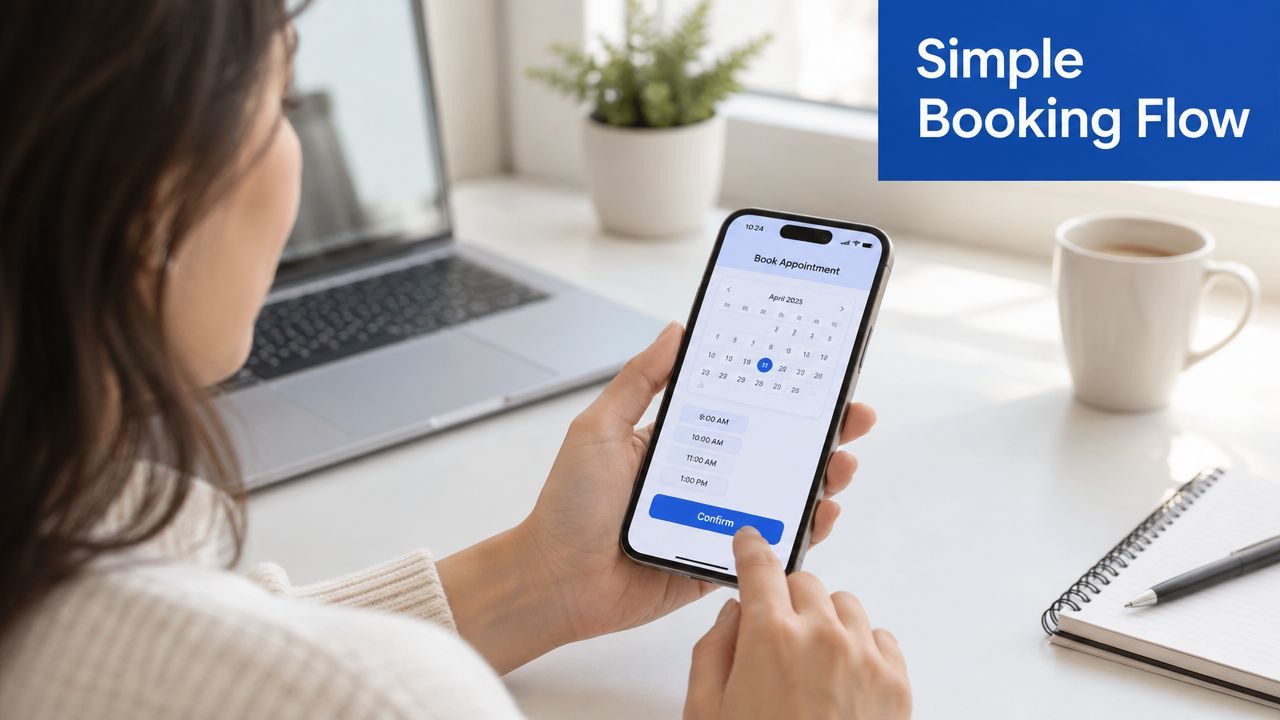
Make one choice at a time
The usual sequence looks like this:
- Select the service: Choose an initial consultation, follow-up, or another available appointment type.
- Choose a practitioner: Review the clinicians shown for that service, then consider their availability and clinical interests.
- Pick a time: Use the live calendar to select an opening that suits your work, travel, and home commitments.
- Enter your details: Add your name, contact information, and a short description of the problem. Include Medicare, insurer, or claim information if the clinic requests it.
- Confirm consent: Read the assessment and treatment terms, then tick the consent box once you understand what you're agreeing to.
- Pay the deposit: Complete the card payment through the secure booking gateway. Check that the transaction has finished before closing the page.
The purpose of this sequence is to keep every screen focused. You shouldn't have to write a full medical history into a small mobile box. A concise note such as “lower back pain after lifting, worse when sitting” gives reception and the practitioner useful context without replacing the full assessment.
Online booking platforms show why immediate scheduling matters in allied health. HotDoc's practice information reports more than 14 million patients using the platform and over 80,000 bookings per day. MyHealth1st reports over 12.5 million bookings to date and says more than 60% of bookings are made after hours. The practical lesson is clear: patients should be able to see a time and secure it without leaving a voicemail.
Once payment succeeds, check for the confirmation email. Save it, check your spam folder if it doesn't appear, and keep the SMS reminder available so you can change or confirm the appointment if needed.
Choosing the Right Service and Practitioner for Your Needs
The correct appointment depends on what the practitioner needs to assess, not just where the pain happens. A first visit usually needs more time because the osteopath must understand your history, observe how you move, assess the relevant area, and decide what treatment is appropriate.
An initial consultation suits you if this is your first appointment, your symptoms involve several areas, or your current problem is different from an issue treated previously. It allows the practitioner to build a complete picture before recommending treatment or follow-up care.
A follow-up session is a better match when you've already had an assessment and are returning for ongoing management. The visit can focus on changes since the last appointment, treatment response, movement limitations, and the next adjustment to your plan.
Match the session to the situation
| Your situation | Sensible booking choice | Why it fits |
|---|---|---|
| You're new to osteopathy | Initial consultation | The practitioner needs time for history, examination, and an initial treatment plan |
| You're returning for an existing issue | Follow-up session | The appointment can concentrate on progress and targeted care |
| Several regions are painful | Longer or specialised appointment, if available | More time may be useful for a broader assessment |
| You want a particular clinician | Practitioner profile and availability | You can consider clinical interests, hours, language, or gender preference |
Some clinics offer extended sessions or specific techniques, such as dry needling or cranial work. Don't select a specialised option solely because the name sounds suitable. If you're unsure, choose the closest general service and contact reception before paying, especially if you're pregnant, managing a complex condition, or booking for more than one person.
A practitioner's profile can help you make a comfortable choice. Look for the clinician's areas of interest, appointment hours, and any communication or accessibility preferences that matter to you. If your concern is sitting-related back pain, you may also find it useful to review this posture and muscle therapy resource before deciding what you'd like to discuss.
Account Details, Forms, and Payment When You Book
After you select a time, the booking page will ask for information that creates your patient record. Enter your full name, date of birth, mobile number, and email address carefully. An incorrect email address can prevent you from receiving the confirmation, while an incorrect mobile number can stop the reminder reaching you.
The intake form usually asks why you're attending and may request relevant medical information, including current medication, previous surgery, or important health conditions. Keep your description short but useful. Mention when the problem started, what makes it worse, and whether symptoms travel into an arm or leg.
Complete consent before the appointment
Consent is normally confirmed during the online process. Read the clinic terms and assessment information, then select the checkbox only after you understand that the practitioner will assess your movement and may recommend hands-on treatment, exercises, or further referral where appropriate.
Private payment is generally taken by card at confirmation. Keep the emailed receipt if you plan to submit it to a private health insurer. A deposit isn't just an administrative step. It reserves the appointment time for you, so check the clinic's cancellation policy before finalising the transaction.
Funded and claim-based care needs more preparation:
- Medicare Chronic Disease Management: Have the GP referral or plan details and your Medicare information available. Confirm with the clinic what paperwork must be supplied before the appointment.
- DVA: Keep your DVA card details ready and ask reception whether a referral or authorisation is required for your visit.
- TAC or WorkSafe: Prepare the claim number and relevant contact details, such as the claims officer or insurer contact.
- Private health insurance: Pay as instructed and retain the receipt for your insurer. Rebates depend on your policy and eligibility.
Bring referral letters, scans, reports, or other documents that relate directly to the problem. If you can't complete a required field, don't guess. Save what you can and contact reception so the clinic can tell you exactly what's needed.
What to Expect at Your First Osteopathy Appointment
Arrive about ten minutes early. That gives you time to settle in, finish any paperwork, and provide referral documents without taking time away from the consultation. Wear comfortable, loose-fitting clothing that lets the practitioner observe movement and access the area being assessed.
Your osteopath will begin with questions. Expect to discuss the history of the problem, previous injuries, general health, work demands, exercise, and anything that changes the symptoms. This conversation helps the practitioner decide which physical tests are appropriate.
Assessment comes before a fixed treatment routine
The assessment may include postural observation, movement testing, palpation, and orthopaedic or neurological screening. The practitioner uses what they find to develop a working diagnosis and decide whether osteopathic care is suitable.
Treatment can include soft-tissue techniques, joint mobilisation, stretching, and other approaches such as dry needling or cranial techniques where they're appropriate for your presentation. You shouldn't expect the same routine every time. A sensible practitioner adjusts the session to your symptoms, comfort, medical history, and examination findings.
Ask questions during the appointment. You can ask what a technique is intended to do, whether you should expect soreness, and which activities are sensible after treatment. Clear communication helps the practitioner adjust pressure and makes the session more useful.
After treatment, you'll usually receive practical advice about activity, heat or ice, movement, and home exercises. You may also discuss how quickly to return to work, sport, or normal daily tasks. For people managing lower-back symptoms, this guide to sitting position and posture correction can support the conversation, but it shouldn't replace individual advice from your practitioner.

Rescheduling, Cancellations, and Common Booking Hiccups
Online booking doesn't guarantee that every change will be frictionless. The common mistake is assuming that a confirmation email is only a receipt. It's also the quickest route to rescheduling or cancelling, so keep it until the appointment is complete.
If you need to change the time, use the link in the confirmation email or SMS as soon as you know. Changes made at least 24 hours before the appointment can usually be completed in a few clicks, with the payment moved to the replacement time where the clinic's policy allows it. Inside that window, late-cancellation rules may apply, and a missed appointment may result in loss of the deposit or the full fee depending on the circumstances.
When no suitable time appears
A full calendar doesn't necessarily mean the clinic can't help. Use the waitlist if the booking page offers one, then contact reception during business hours. A receptionist may know about a cancellation that hasn't appeared online yet or can suggest another practitioner or appointment type.
If the confirmation stalls, check the practical causes first:
- Card payment failed: Confirm your card details and try again without opening several booking windows.
- No email arrived: Check spam and search your inbox for the clinic name or appointment system.
- Required field is missing: Review Medicare, DVA, TAC, or WorkSafe fields and enter the requested information.
- The slot disappeared: Refresh the page and choose another opening. Someone else may have secured the time.
- You're unsure what to do: Call or email reception rather than submitting several duplicate bookings.
A second booking attempt can create more confusion than a short call. Confirm whether the first payment or appointment went through before trying again.
If you miss an appointment, contact the clinic promptly and explain what happened. Don't wait several days and assume the system will restore the deposit automatically. Reception can tell you whether the fee can be transferred, whether a new booking is required, and what information they need.
Book Your Appointment with Bayside Osteopathic Health Today
The useful part of online booking isn't avoiding a phone call. It gives you control over the decisions that affect your visit. You can check live availability, choose an initial or follow-up consultation, select a practitioner, provide a short explanation of your symptoms, and receive confirmation without waiting for office hours.
Private patients generally don't need a referral. Medicare Chronic Disease Management, DVA, TAC, and WorkSafe patients can still start online, but they should expect an extra intake question or document request. Have your referral, card, claim number, or insurer details ready so the clinic can confirm the arrangement before the appointment.
Saturday morning availability can also make care more practical if work, school, or commuting prevents a weekday visit. If the online calendar doesn't show a suitable opening, join the waitlist or contact reception rather than abandoning the search.
Osteopath online booking works best when you choose the appointment type that fits your situation, describe the main problem clearly, and leave enough time to attend. You can also use this back injury prevention resource to identify questions to raise during your consultation.

Open the booking page now, select the service that matches your needs, and secure a time you can keep. Booking today gives you a clear next step instead of another week of waiting for the pain to settle on its own.
Bayside Osteopathic Health offers gentle, hands-on osteopathic care, movement advice, and practical self-management support for back, neck, joint, and posture-related concerns. Visit Bayside Osteopathic Health to choose an appointment time, check the booking requirements, and take the next step towards a clearer plan for moving comfortably.