
By late afternoon, your chin has drifted towards the screen, one shoulder is higher than the other, and your lower back is searching for a comfortable position. You may straighten up when you notice, hold that position for a moment, then gradually fold back into the same shape while answering emails or finishing a video call.
That pattern doesn't mean you lack discipline. Your workstation, the task in front of you, muscle endurance and the length of time you remain still all influence how your body settles. Learning how to improve posture at desk work is less about holding one perfect pose and more about creating a supported starting position, changing it regularly and building enough capacity to work comfortably.
Table of Contents
- Why Desk Posture Feels Harder Than It Should
- Your Ergonomic Setup Checklist That Actually Fits Real Desks
- Simple Posture Cues You Can Use All Day
- Quick Mobility and Strength Exercises for Desk Workers
- Micro Breaks and a Sample Daily Schedule That Sticks
- Troubleshooting Common Complaints and When to Get Help
Why Desk Posture Feels Harder Than It Should
A desk worker may start the morning comfortable, then notice low back pain, neck tightness or a heavy feeling between the shoulder blades by late afternoon. The change is usually gradual. A laptop placed too low draws the head forwards, a mouse positioned too far away pulls the shoulder from the body, and an unsupported chair makes the trunk work harder to stay balanced.
Australian workplace data shows that desk-related musculoskeletal symptoms are common. In a 2024 national campaign release, 89% of desk-using workers reported a work-related musculoskeletal disorder. The listed symptoms included low back pain at 62%, neck pain at 55% and mid-back pain at 53%. These figures are from the 2024 Australian workplace musculoskeletal campaign release.

Your surroundings influence your posture
Slouching is often a sensible response to an awkward workstation, rather than a personal failure. A monitor below eye level encourages the eyes, head and neck to angle down. A keyboard that sits too far away brings the shoulders and upper back forwards. A high desk can keep the shoulders slightly shrugged for hours without you noticing.
Safe Work Australia recommends reducing strain through neutral positioning and regular movement, rather than maintaining one rigid shape. Its guidance includes relaxed shoulders, elbows near a right angle, a neutral head position and a screen about one arm's length away. Use the Australian guidance on sitting and standing at work as a reference when reviewing your workstation.
Practical rule: Use neutral posture as a home base. Return to it often, then change position before discomfort builds.
Movement variation is part of good posture
A well-adjusted desk cannot remove the effects of sitting still for too long. Safe Work Australia's review of sedentary work reported that 81% of Australian workers were exposed to sitting, placing prolonged sitting at the centre of the problem alongside workstation design. The national literature review of sedentary-work hazards supports interrupting extended periods of sitting.
This applies in offices, hybrid workspaces, kitchen-table setups and home offices. It also matters for older adults managing stiffness or arthritis. A laptop, dual-screen arrangement or temporary home setup may need different adjustments from a fixed office desk, because the task and available support change.
Your aim is a setup that supports the work, movement that interrupts static loading and exercises you can repeat without aggravating symptoms. You do not need to force your spine into one ideal position or treat every ache as a posture failure.
Sharp pain, progressive weakness, numbness or symptoms travelling into an arm or leg need individual assessment. Sitting straighter is not an adequate response to those signs.
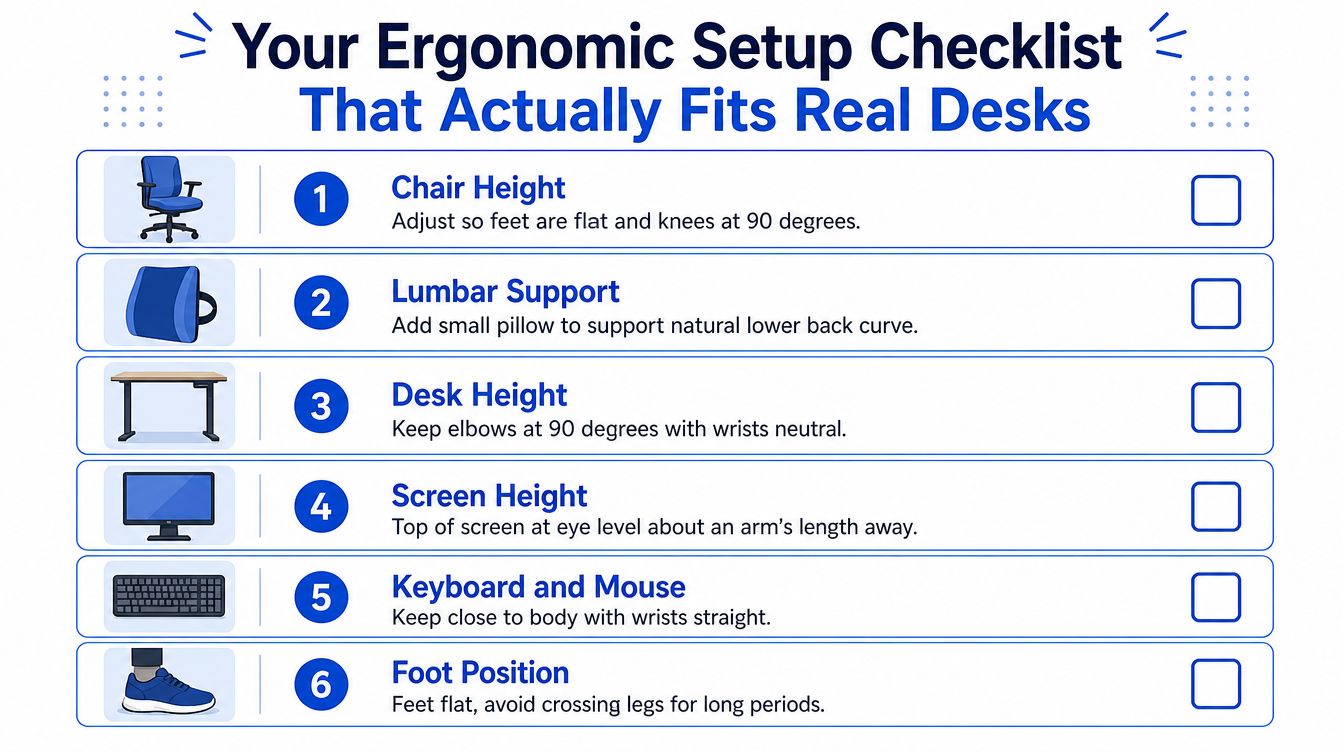
Your Ergonomic Setup Checklist That Actually Fits Real Desks
A useful workstation check starts with your body, not the chair catalogue. Adjust what you already own, then decide whether an accessory solves a specific problem. The Queensland workstation setup guidance supports an adaptable approach for different tasks and people.
Start from the floor
Set the chair so both feet are supported. Ideally, the feet rest flat on the floor and the knees sit at approximately 90 degrees, with the hips level with or slightly higher than the knees. If the chair needs to be higher for your desk, place a stable footrest, firm box or thick book under your feet rather than allowing them to dangle.
Sit back into the chair instead of perching on its front edge. Add a small cushion or rolled towel at the lower back if the chair doesn't meet your natural curve. The support should feel like a gentle contact, not a hard object pushing you forwards.
Match the desk to your elbows
Let your upper arms rest close to your sides and bend the elbows to about 90 degrees. Keep the forearms supported where possible, with the shoulders relaxed and the wrists relatively straight.
Many desks fail for these reasons. A desk that's too high encourages shoulder shrugging and neck tension. A desk that's too low encourages the trunk to fold forwards and the head to jut towards the screen. If the desk can't be adjusted, raise the chair and use a footrest for the first problem, or create a stable low platform for the desk equipment when the working surface is too high for the task.
Keep the keyboard and mouse on the same level, directly in front of you. A mouse placed far to the side creates repeated reaching, particularly during long editing or spreadsheet sessions.
Raise the screen without sacrificing your arms
Place the top of the monitor at eye level or just below, with the screen about one arm's length away. You should be able to read without leaning forward or lifting your chin.
A laptop creates a built-in compromise because raising the screen also raises the keyboard. For longer typing sessions, put the laptop on a stand, shelf or stable stack of books and use a separate keyboard and mouse. For short tasks, a laptop on the desk may be acceptable if you change position regularly and don't spend the entire session looking down.
Dual screens need a task-based arrangement. Put the screen you use most directly in front of your body. If both are equally important, position them together so you aren't repeatedly rotating your neck towards one side. Turn your chair or move the less-used screen rather than twisting through the upper back for every glance.
A visual example of a supported corporate workstation is available in this desk posture and ergonomics image.
For a guided explanation, you can also watch this workstation video:
Use a simple pass or adjust test. Pass if your feet are supported, shoulders are relaxed, elbows are near your sides, your head is not reaching forwards and the screen is easy to read. Adjust if any part feels forced, because a technically correct arrangement that causes strain won't remain practical.
Simple Posture Cues You Can Use All Day
A posture cue should be easy to remember and gentle enough to repeat. “Sit up straight” often leads people to pull the shoulders back too hard, lift the chest and arch the lower back. That creates another fixed position rather than a relaxed one.
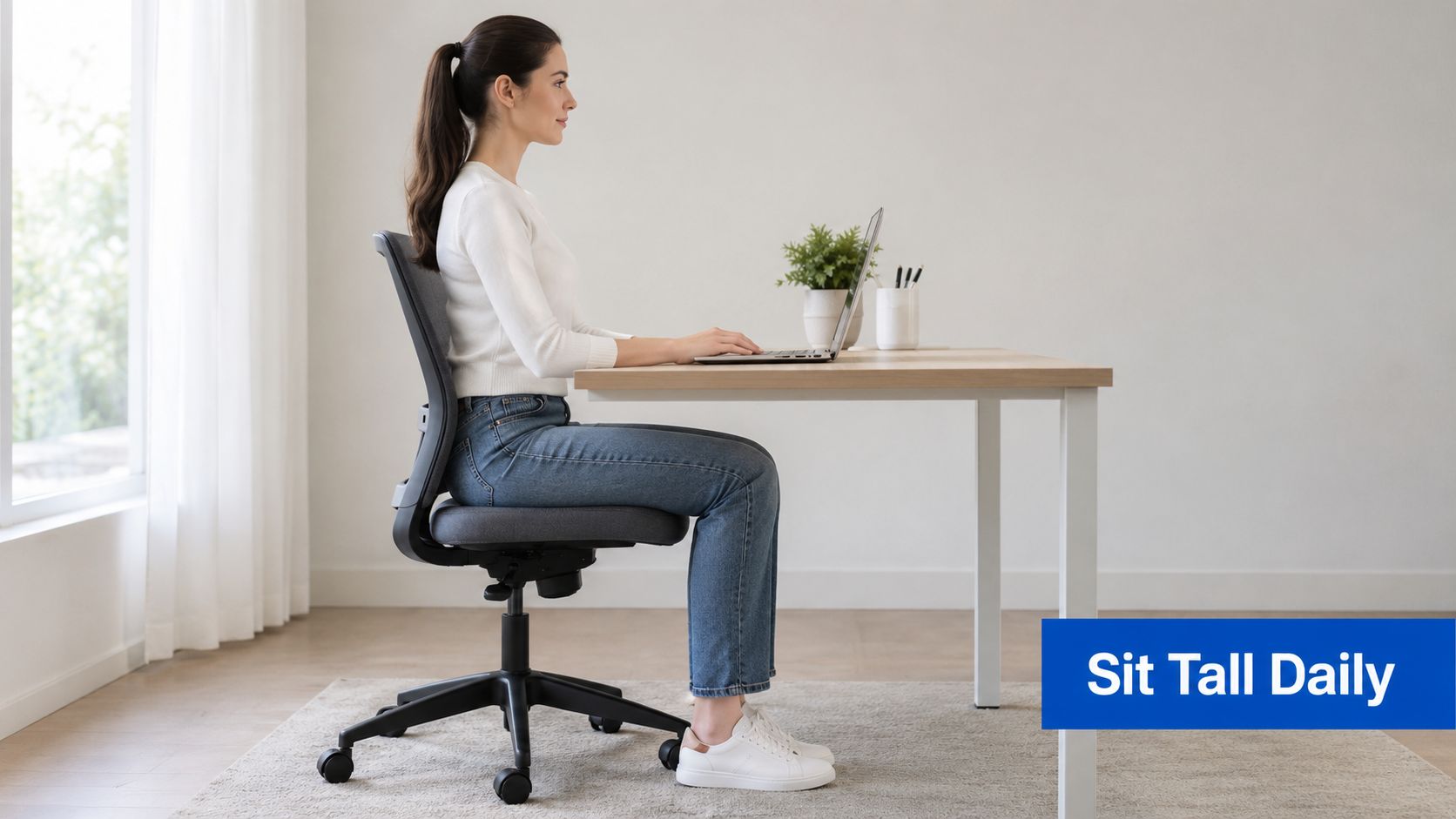
Try thinking “head over shoulders, ribs over pelvis, feet supported.” Let the back of the chair carry some of your weight. Allow the shoulders to hang instead of pinching the shoulder blades together. Your body should feel organised, not braced.
Use the cue that matches the task
Typing calls for your hands to stay close to your body, with the wrists in a neutral position and the elbows supported when possible. During a video call, check that the camera is near eye level so you don't spend the conversation looking down. When reading a document, bring the document closer or raise it rather than repeatedly folding your neck towards the desk.
The best cue can change with the task. A slight recline may reduce the urge to lean towards the screen during reading. A forward position may be useful briefly for detailed writing, provided you return to support afterwards. A standing position can help you vary load, but standing still with locked knees isn't automatically better than sitting.
“Tall and relaxed” is more sustainable than “chest up and shoulders back”.
Reset without making a performance of it
Every 20 to 30 minutes, make a small change. You might slide the hips back, let the ribs soften, release the jaw, lower the shoulders and gently draw the chin backwards. You don't need to hold the correction. Notice it, breathe normally and continue the task.
For a forward-head pattern, keep your eyes level and glide the head backwards without looking up. For rounded shoulders, let the arms fall by your sides, rotate them gently outwards and allow the breastbone to rise without flaring the ribs.
Your feet can stay parallel, or one foot can move slightly forwards. You can shift weight from one sitting bone to the other, perch briefly on the front of the seat or recline into the backrest. These aren't failures. They're useful ways to spread load across different tissues.
If arthritis or persistent pain makes one position uncomfortable, prioritise comfortable variation. A position that looks textbook but increases symptoms isn't the right position for that moment.
Quick Mobility and Strength Exercises for Desk Workers
A short movement routine should leave you feeling more mobile or more supported, not battered. Work within a comfortable range, move slowly and stop if you develop sharp pain, numbness, tingling or symptoms that continue to build after the exercise.
The following sequence can fit into a short work break. Use the easier version first, particularly if you have arthritis, persistent pain or a long period of inactivity.
Re-centre the neck and shoulders
Chin tucks. Sit or stand with your eyes level. Glide your head straight backwards, as though making a small double chin, without tipping the chin up or down. Hold for 5 seconds and repeat 10 times, using a smaller movement if your neck feels irritable.
The progression is to perform the same motion while standing against a wall, keeping the back of the head gently aligned without forcing contact. The exercise should create a sense of length through the back of the neck, not a hard squeeze.
Scapular setting. Let the arms rest beside you and gently draw the shoulder blades together and slightly down. Hold for 5 seconds and repeat 10 times. Don't lift the chest aggressively or pinch the shoulder blades as tightly as possible.
For an easier version, make the movement smaller and focus on releasing the shoulders after each repetition. A harder progression can use a light resistance band row, provided the neck stays relaxed.
Open the front of the body
Doorway chest stretch. Place the forearms on a doorframe and step forwards until you feel a mild stretch across the chest. Hold for 30 seconds, breathing comfortably. Keep the ribs from flaring and avoid pushing into shoulder pain.
If a doorway position is too intense, place one hand on a wall and turn the body only slightly. Older adults or people with shoulder arthritis may prefer this one-sided version because it gives more control over the range.
Seated spinal rotation. Sit with the feet supported and rotate the trunk gently towards one side, keeping the movement comfortable. Hold for 20 seconds on each side. Don't pull on the chair or force the neck to lead the movement. Allow the upper back to rotate while the pelvis remains steady.
A larger range isn't the objective. The useful sensation is a gradual reduction in mid-back stiffness.
Give the hips and trunk more support
Standing hip-flexor stretch. Step one foot forwards into a small lunge. Keep the trunk tall, gently draw the pelvis underneath you and shift forwards until you feel the stretch at the front of the back hip. Hold for 30 seconds on each side, using the desk for balance.
A beginner can use a shorter split stance without lowering the body. A progression can add a small bend in the front knee while keeping the back heel lifted and the pelvis controlled.
Glute bridge. Lie on your back with the knees bent and feet supported. Lift the pelvis only as high as you can without arching the lower back, then lower with control. Start with a small lift and a few comfortable repetitions. Progress by pausing briefly at the top or increasing repetitions gradually.
For arthritis, use a smaller range and avoid holding your breath. If lying on the floor is impractical, try supported wall slides instead. Keep the back against the wall, slide down a short distance and return, using the legs and trunk together.
A useful visual reference for movement-based rehabilitation is this desk-worker exercise image.

Stop and reassess: Mild effort is acceptable. Sharp pain, spreading symptoms or a noticeable flare that persists means the movement, dose or diagnosis needs review.
Micro Breaks and a Sample Daily Schedule That Sticks
A micro-break is a brief change in position or task, not another workout. Stand to refill your water, bring the mouse closer, look across the room or take three relaxed breaths while letting the shoulders drop. The aim is to interrupt a static position before fatigue makes you hold it rigidly.
As noted earlier, Safe Work Australia's review reported 81% exposure to sitting among Australian workers, supporting a regular movement rhythm for desk-based and hybrid work. The finding also reinforces a practical point: an adaptable setup works better than searching for one perfect chair position.
Match the break to the available time
| Available time | Useful action |
|---|---|
| 30 seconds | Place both feet down, release the jaw, gently reset the head and lower the shoulders. |
| 2 minutes | Stand, walk for water, look into the distance, then return with the screen or chair adjusted if needed. |
| 5 minutes | Complete chin tucks, shoulder-blade movements, a chest stretch and a short hip movement. |
Use a phone alarm, calendar reminder or desktop timer if work absorbs your attention. If alerts become irritating, attach movement to existing events: stand after a meeting, walk while listening to a voice message or change position after sending a group of emails.
A workday that allows variation
Morning start. Before opening the first task, set the chair, check that the feet are supported and place the main screen in front of you. Start in a comfortable seated position, then change your leg or trunk position during the first work block rather than waiting for discomfort.
Laptop users should separate screen height from keyboard position. Raise the laptop when possible and use a separate keyboard and mouse for longer tasks, so improving the screen view does not force the shoulders to reach forwards. With dual screens, place the one used most directly in front of you. Use the second for occasional reference work, or move between both rather than holding a fixed rotation.
Late morning. Stand for a brief task, refill water and look away from the screen. A short walk often provides more useful variation than remaining upright at a standing desk while continuing to work.
Around lunch. Walk rather than eat at the keyboard when practical. A few comfortable chest-opening, spinal-rotation and hip movements can help you return to work without forcing yourself upright for the entire afternoon.
Afternoon wind-down. Fatigue makes forward reaching more likely. Bring the keyboard closer, support the forearms and reset before the final work block. In a home office, move the setup if it encourages the same slumped or rotated position each day. Finish with a walk or gentle mobility instead of carrying the desk posture into the evening.
The most sustainable schedule changes your position before symptoms demand it, without interrupting work every few minutes. For chronic pain or arthritis, use smaller, comfortable movements and build frequency gradually. A standing desk can support this rhythm, but it does not replace walking or other position changes. If standing increases foot, hip or back symptoms, return to supported sitting and seek individual advice.
Troubleshooting Common Complaints and When to Get Help
Desk symptoms often provide clues about the setup, but they don't prove a single cause. Change one factor at a time where possible, then observe whether the task becomes easier across the workday.
Match the complaint to the first adjustment
| Complaint | First things to check |
|---|---|
| Neck ache during laptop work | Raise the laptop screen and use a separate keyboard and mouse for longer sessions. |
| Mid-back tightness | Check whether you're reaching forwards, sitting away from the backrest or rotating towards one screen. |
| Low back ache after sitting | Support the lower back, place the feet firmly and alternate sitting with walking or brief standing. |
| Wrist discomfort | Bring the keyboard and mouse closer, keep them level and reduce repeated reaching. |
| One-sided shoulder tension | Centre the main screen and mouse, then check whether the chair or desk encourages rotation. |
A footrest is useful when raising the chair is necessary for your elbows but leaves the feet unsupported. A laptop stand is worthwhile when the screen repeatedly pulls your head down. Neither accessory replaces movement, and neither needs to be expensive if a stable household solution performs the same job safely.
Australian occupational data places these adjustments within a wider prevention issue. Safe Work Australia recorded 360,180 serious musculoskeletal-disorder claims over the five-year period from 2009–10 to 2013–14, and another national summary described work-related MSDs as the highest category of serious compensation claims, with 38,770 claims representing 36% of serious claims in the referenced period. Those figures are reported in this Australian overview of posture and occupational musculoskeletal claims.
Know when self-management isn't enough
Book a professional assessment if pain keeps worsening despite sensible setup changes, returns every workday, limits sleep or interferes with ordinary movement. Numbness, tingling, weakness or pain travelling into an arm or leg also needs clinical review rather than repeated posture correction.
Older adults should seek advice about a new or rapidly worsening stooped posture, especially when it follows a sudden episode of back pain. A rigid curve, marked loss of movement or symptoms that don't respond to gentle changes may need assessment before starting strengthening.
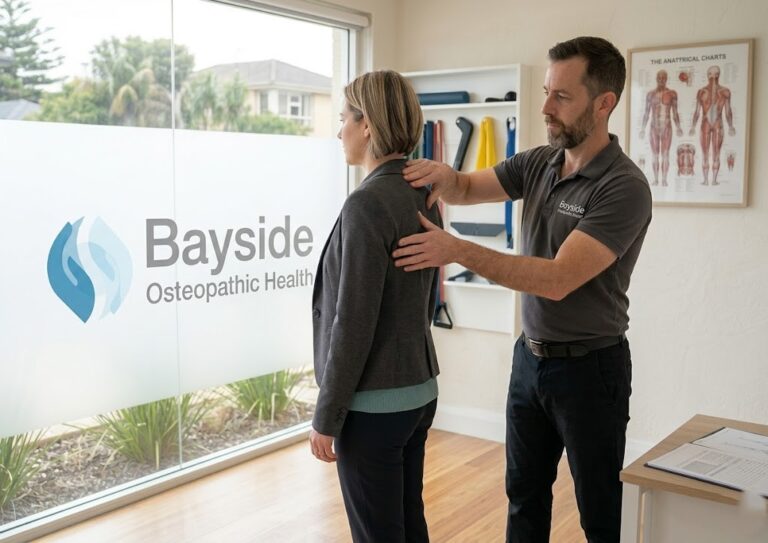
At Bayside Osteopathic Health, an osteopath can assess how the neck, upper back, lower back, hips and workstation demands interact. Care may include gentle hands-on techniques, movement advice and a personalized self-care plan. This explanation of mobilisation and manipulation may help you understand why treatment is selected according to the person's presentation rather than a generic posture rule.
If desk work is leaving your neck, back or joints uncomfortable, Bayside Osteopathic Health offers individual assessment, gentle hands-on osteopathic care and practical workstation and movement guidance. Book a consultation to identify the changes that fit your body, your desk and the way you work.