
By mid-afternoon, you're leaning towards the laptop, one foot tucked under the chair, shoulders creeping forwards. The ache sits just above the waistband, and you rub the base of your spine while promising yourself you'll “fix your posture” tomorrow.
That promise usually leads to another rigid rule: sit upright, keep your spine straight, hold your shoulders back. In practice, lower back posture support works better when it helps you change position, share the workload and keep moving, rather than forcing you into one ideal shape.
In Australia, about one in six people have back problems, and back pain costs the Australian health system $4.8 billion each year, according to the Australian low back pain clinical care standard. The sensible response isn't fear of sitting. It's a practical system that makes sitting less static.
Table of Contents
- Why the Usual Posture Advice Falls Short
- Setting Up Your Workspace for Real Lower Back Support
- Micro-Mobility Routines You Can Do at Your Desk
- Choosing and Using Lumbar Braces and Cushions Wisely
- Sleep, Sitting, and Daily Habits Beyond the Office
- Building Your Daily Lower Back Posture Routine
Why the Usual Posture Advice Falls Short
A desk-bound patient will often tell me the same story. They started work feeling comfortable, remembered to “sit properly”, pulled their shoulders back and kept their chin tucked. A few hours later, their lower back felt tight and tired, even though they'd technically followed the advice.
The problem is that a good posture held for too long becomes another fixed posture. Your spine, pelvis and surrounding muscles still absorb load when you sit perfectly upright. The same tissues remain under pressure, small stabilising muscles fatigue and your body starts searching for relief by slumping, twisting or leaning on one arm.
Your spine needs options, not a statue pose
The lumbar spine is designed to move. It flexes when you reach, extends when you stand, rotates as you turn and shares force with the hips and upper back. Locking it into one position treats the spine like a fragile column rather than a living, adaptable structure.
That's why Australian guidance recommends a broader approach. The national low back pain guidance prioritises assessing aggravating positions, staying active, returning to usual work and activities as soon as feasible, and using practical measures such as lumbar support or workstation changes when needed.
Practical rule: If a posture feels acceptable but you've held it unchanged for a long period, change it anyway.
This doesn't mean every slouch is harmful or that you need to monitor your spine every minute. It means the chair, desk and laptop should make movement easy. You should be able to sit forwards, sit back, stand briefly, rotate to reach something and walk without treating each change as a failure.
What posture advice often misses
Rigid ergonomic prescriptions ignore fatigue, stress, concentration and the realities of remote work. A person may begin with a well-adjusted chair, then slide forwards because the screen is too far away, reach repeatedly for a phone or work from a couch during the afternoon.
The most useful question isn't, “Am I sitting perfectly?” Ask, “How often can I redistribute the load?” Short walks, position changes, alternating sitting and standing, and a supportive workstation usually achieve more than holding the same spinal angle throughout the day.
Australian clinical commentary also warns against overemphasising “good posture”, because fear of getting posture wrong can reinforce unhelpful beliefs. Movement is more important than any single static position, particularly when symptoms are mild and non-specific.
Setting Up Your Workspace for Real Lower Back Support
A desk setup should make movement easy, not trap you in one prescribed position. Adjust the chair, screen and keyboard in sequence, then work for a short period before refining the arrangement. Your proportions, equipment and tasks all affect what feels sustainable.
Start with the seat and pelvis
Raise or lower the seat so your hips sit slightly higher than your knees. Australian ergonomic guidance commonly uses an open hip angle of about 100 to 120 degrees, rather than a compressed upright angle, as described in Healthdirect's low back pain guidance. Treat that range as a starting point, not a position to force throughout the day.
Keep both feet supported. If they dangle after you raise the chair, add a stable footrest. Your pelvis should feel supported, while your thighs remain free from pressure at the front edge of the seat.
Find the lumbar support next. The chair's curve should meet the inward curve above the pelvis, around belt level. It should provide gentle contact, not push the lower back forwards. A small cushion or rolled towel can help you test the position before buying different equipment.
Set the screen about an arm's length away, with its top at or just below eye level. Keep the keyboard close enough for your elbows to stay near your sides. Adjust the armrests so your shoulders can remain relaxed rather than lifting towards your ears.
Reduce reaching and twisting
Keep frequently used items within a comfortable 30 cm arc of your hands. Place the mouse, phone, notebook and water bottle where you can reach them without repeatedly combining forward bending with spinal rotation. The measurement is a guide. The practical aim is to reduce unnecessary strain during ordinary tasks.
Your elbows should remain near a right angle, with your forearms roughly parallel to the floor. If the desk is too high, lower the chair only when your feet still have firm support. Otherwise, a footrest or correctly positioned keyboard tray may resolve the mismatch.
These measurements create options, not commandments. They cannot compensate for remaining still all day, and a well-set workstation still needs regular position changes.
Use this posture and corporate ergonomics reference image to identify common workstation problems, then adapt the arrangement to your proportions and work demands.
Once the basics are in place, vary the setup. Sit back for concentrated screen work, sit forwards for writing, adjust the lumbar support slightly and stand briefly for phone calls. Effective lower back posture support comes from a workstation that accommodates these transitions, rather than one perfect sitting angle.
Micro-Mobility Routines You Can Do at Your Desk
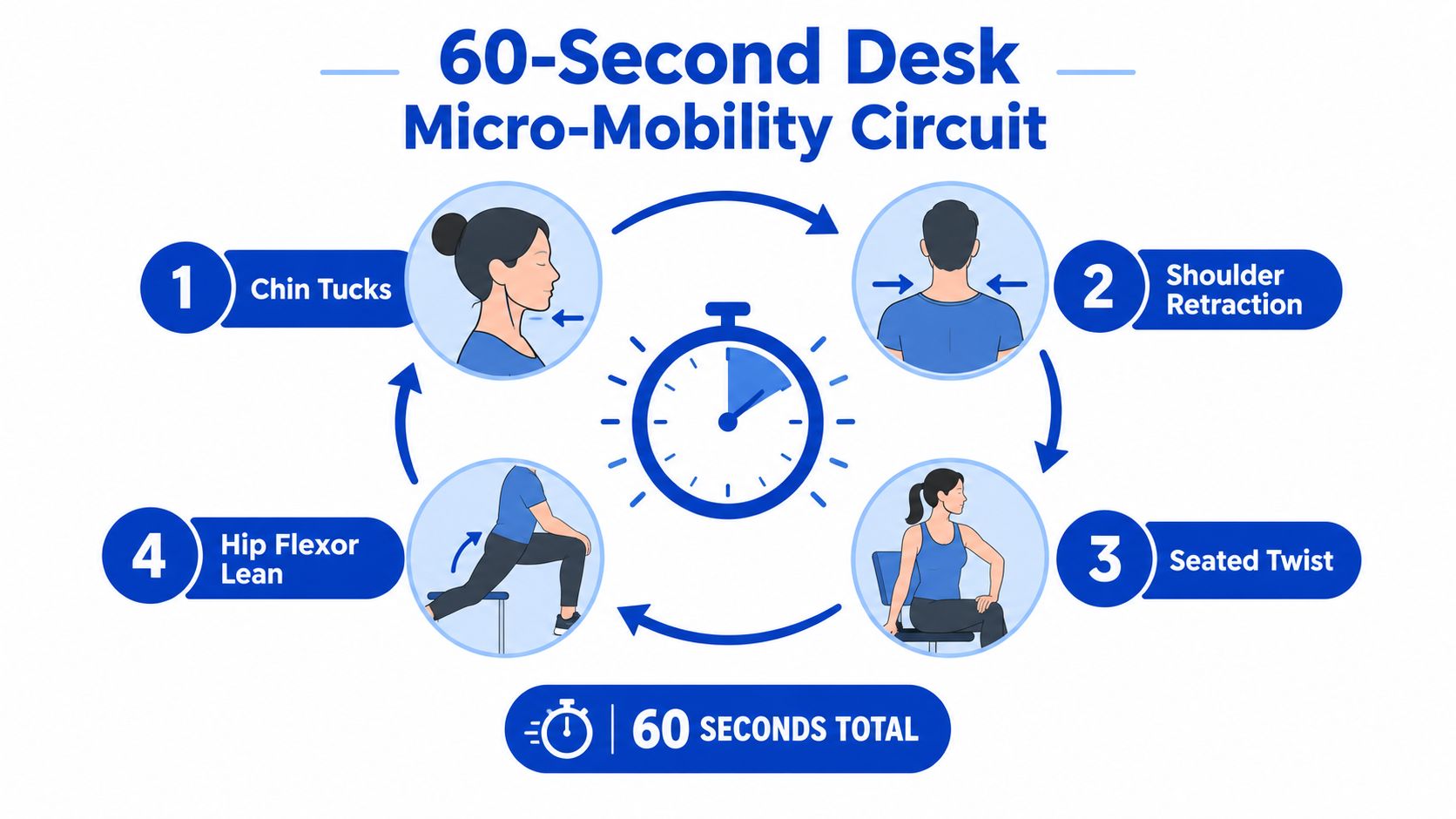
Micro-mobility isn't a workout squeezed into your lunch break. It's a brief interruption to static loading that gives your joints and muscles a different job. Run this circuit every 45 to 60 minutes, or attach it to an existing cue such as finishing a coffee, closing a tab or ending a video call.
A one-minute reset
Seated cat-cow: Sit near the front of the chair with your feet grounded. Slowly round your lower and upper back as you exhale, then gently lengthen through the spine as you inhale. Complete five slow rounds, without forcing either end range or throwing your chin forwards.
Pelvic tilts: Keep your ribs relaxed and alternate between gently tipping the pelvis backwards and forwards. The movement should be small. You're waking up the muscles around the trunk and reminding the lumbar spine that it can move, not trying to flatten your back against the chair.
Standing hip hinge: Stand with feet under the hips and place your hands on the upper thighs. Soften the knees, send the hips backwards and keep the spine long, then return to standing by pressing through the feet. This rehearses the movement you need for lifting and reaching without repeatedly bending through the lower back.
Thoracic extension: Sit back against the chair and place your hands behind your head or across your chest. Lift the breastbone gently over the chair back while keeping the lower ribs controlled. The movement should come mainly from the upper back, not from arching aggressively through the lumbar spine.
Ankle pumps: Alternate pointing and drawing back the feet while seated. The movement is simple, but it adds lower-limb motion when your desk task has kept everything still.
The aim is variation, not a deeper stretch. If one movement increases your symptoms, make it smaller or leave it out. Australian guidance supports staying active and returning to normal activity where feasible, while adapting positions that aggravate symptoms rather than treating rest as the default.
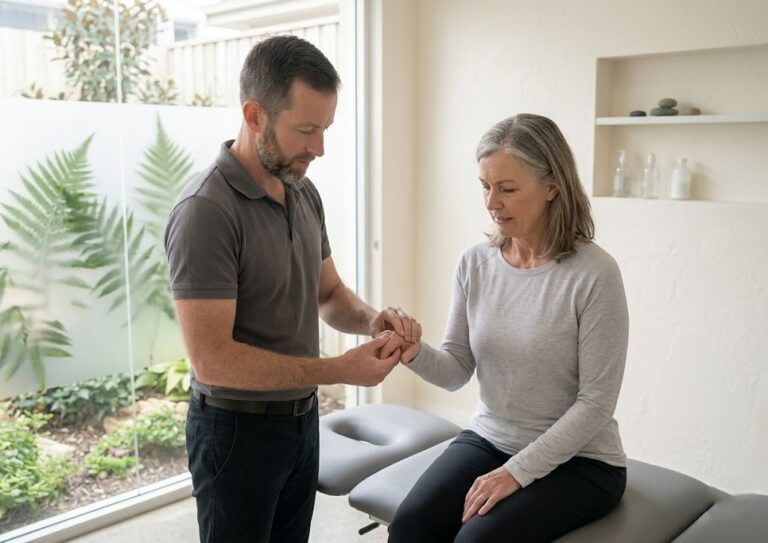
A simple mobility reference can also be useful away from the desk. This joint mobility image may help you remember that comfortable movement should be gradual and adaptable, not forced.
Don't wait until discomfort becomes your reminder. Pair the routine with something already happening in your day, and let the environment prompt you. A calendar notification, a kettle boiling or a completed task can become a reliable signal to move.
Choosing and Using Lumbar Braces and Cushions Wisely
A lumbar roll may help during a long drive, while a brace may offer short-term support for a specific lifting task. Neither proves that your back needs permanent protection. These are situational tools, and their value depends on the task, the fit and how you use them.
A cushion changes the contact between your pelvis and the chair. A lumbar roll supports the inward curve of the lower back. A brace provides compression, warmth or a physical reminder around the trunk, and may restrict some movement. None replaces regular activity, a suitable workstation or a plan to build tolerance.
Match the device to the task
Start with a rolled towel. It is inexpensive, adjustable and easy to remove, which makes it useful for testing whether extra lumbar contact helps. Place it around belt level. If it pushes your chest forwards or makes your back feel crowded, reduce its size or remove it.
A commercial cushion can work when its height and firmness suit both you and the chair. A soft cushion that quickly compresses may leave you in the same unsupported position. A wedge changes the pelvic angle by raising one part of the seat. Some people find it easier to sit with the hips slightly higher than the knees, while others slide forwards or feel pressure behind the knees. Test the wedge during the task you intend to perform. A larger lumbar curve is not automatically a better one.
A brace may have a place during a defined lifting task, driving or a short flare-up, particularly when a clinician has identified a reason for temporary external support. It should not become standard desk clothing.
| Tool | Best for | Recommended duration | Key caution |
|---|---|---|---|
| Lumbar brace | A defined physical task or clinician-guided short-term support | During the task, then remove it | Do not wear it tightly or use it instead of rebuilding trunk capacity |
| Roll support | Testing lumbar contact in a chair or car | While the position remains comfortable | Excess thickness can push the pelvis forwards and increase discomfort |
| Seat wedge | Adjusting pelvic position when the chair is too low or flat | During selected sitting tasks | Sliding, pressure behind the knees or increased symptoms indicate a poor fit |
The rules that prevent overuse
Fit a brace snugly, never tightly. You should breathe comfortably, move without numbness and remove it once the task ends. A cushion should match the chair width and support your natural lumbar lordosis without flattening or exaggerating it.
Avoid a rigid brace for routine desk work unless it has been prescribed for a specific condition. Use it alongside movement and strengthening, not in place of them. Persistent pain or unexplained symptoms warrant professional assessment. Evidence on chair interventions remains limited and conflicting, so Australian low back pain guidance supports a combined approach rather than relying on chair changes alone.
Take extra care after abdominal surgery, with skin problems, or when symptoms are new and unexplained. Do not place a heat wrap over an acutely inflamed area, and do not use a brace after surgery without clearance from the treating clinician.
Sleep, Sitting, and Daily Habits Beyond the Office
Your desk is only one place where your back learns a position. The couch, car seat, kitchen bench and bed can all reinforce the same pattern, particularly when you move from one sedentary setting to another without a walking break.
Sleeping position deserves practical attention, not expensive marketing. Side sleepers often feel more comfortable with a pillow between the knees to reduce pelvic rotation. A mattress should support the body without allowing the hips to sink too far, but labels such as “orthopaedic” don't guarantee a useful fit. Your body size, shoulder width and preferred position matter more than the product name.
Back sleepers may prefer a cushion under the knees, which can reduce the effort required to maintain a comfortable lumbar position. Stomach sleepers often need a thinner pillow under the head, because a high pillow can increase neck rotation and extension. If you wake stiff, change one variable at a time rather than replacing the entire bed.
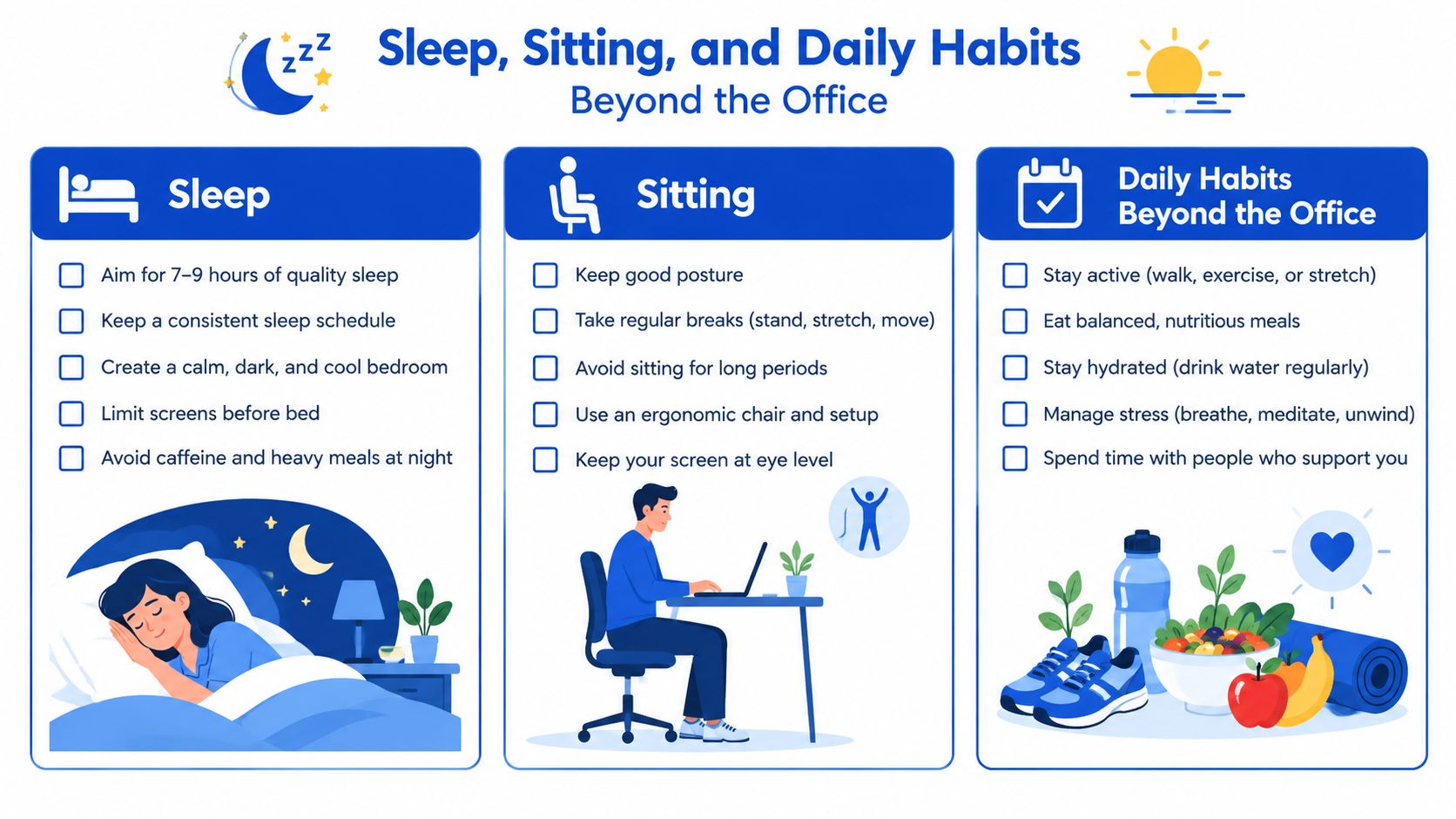
Treat secondary workstations as real workstations
The couch invites a tucked pelvis and rounded spine. Sit towards the front edge, support your feet and place the laptop on a stable surface rather than your knees. At the kitchen bench, check that the stool allows your hips to sit slightly higher than your knees and that your feet have a secure support.
Car seats need similar attention. Bring the seat close enough that your knees remain relaxed, use the lumbar adjustment or a thin roll if needed, and take walking breaks during longer trips. The goal isn't to impose a perfect driving posture. It's to avoid staying in one position longer than your symptoms tolerate.
Standing desks can help as a transition tool. They let you change the load, but standing motionless for the entire day replaces one static posture with another. Shift weight, walk to another room, bend the knees gently and alternate between sitting and standing according to the task.
Remember: A posture that feels good today still needs movement breaks.
Short walks redistribute load and give the hips, ankles and upper back a chance to contribute. Hydration supports normal daily function, while adequate sleep can influence how stiff and sensitive you feel in the morning. Neither is a cure for back pain, but both make it easier to keep moving consistently.
Australian workplace data shows why this matters for office and remote workers. A 2026 Australian workplace survey reported that 92.9% of employed Australians had experienced back pain, 21.7% said it impaired workplace productivity, and 75% of employed Australians with back pain were doing computer or desk work. The survey identified desk work, computer use and poor ergonomics among the commonly reported work-related triggers. See the Australian workplace back pain survey for the full context.
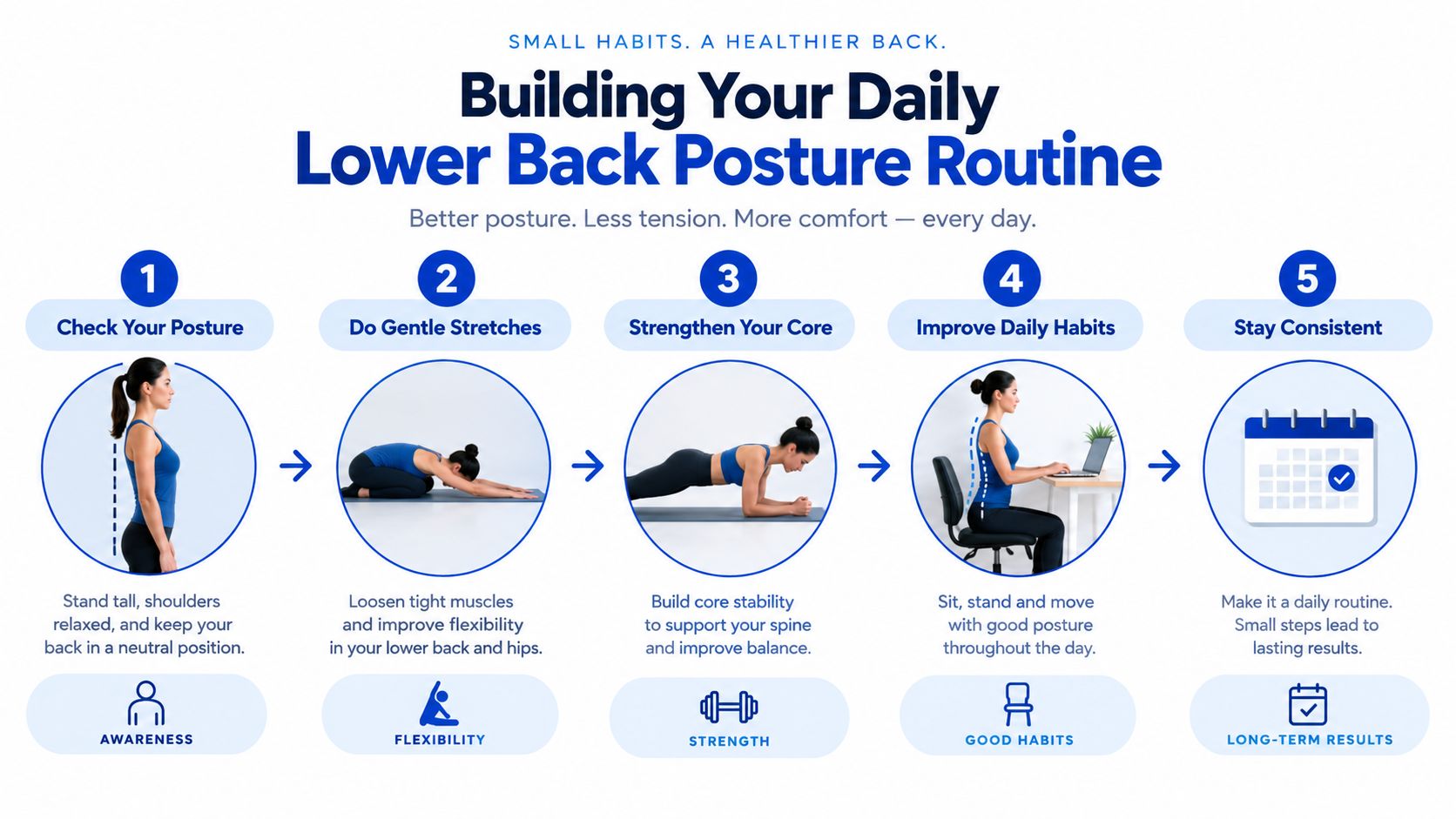
Building Your Daily Lower Back Posture Routine
A useful routine should survive a normal day. It needs a version for the morning, a desk-based workday, an evening at home and a night away, without turning posture into another full-time job.
Morning movement
Start with gentle movement before testing how your back feels.
- Cat-cow: Perform several slow rounds, moving within a comfortable range and breathing steadily.
- Hip flexor lean: Step one foot behind you, keep the pelvis level and shift forwards slightly until the front of the rear hip feels mild tension.
- Glute activation: Use a few controlled bridges or standing hip extensions if they feel comfortable. The aim is to wake the hips, not exhaust them.
At work, use the micro-mobility circuit regularly and respond to symptoms early. A practical target is to change position at least around hourly, then use a longer sit-to-stand cycle when your tasks allow it. Some people find alternating sitting and standing roughly every 90 minutes workable, but the right interval depends on your tolerance and workload.
Home and travel versions
In the evening, choose thoracic extension, gentle hip mobility and an easy walk over aggressive stretching. Stretching harder into a sore lower back can irritate symptoms, particularly when the underlying issue is accumulated sitting rather than a lack of flexibility.
For travel, reduce the plan to five minutes:
- Walk around the room.
- Complete gentle cat-cow with hands on a desk or bed.
- Perform standing hip hinges.
- Use the edge of a hotel bed for controlled thoracic extension.
- Finish with ankle pumps and relaxed breathing.
A chair, wall or bed is enough. You don't need specialised equipment to keep the body moving.
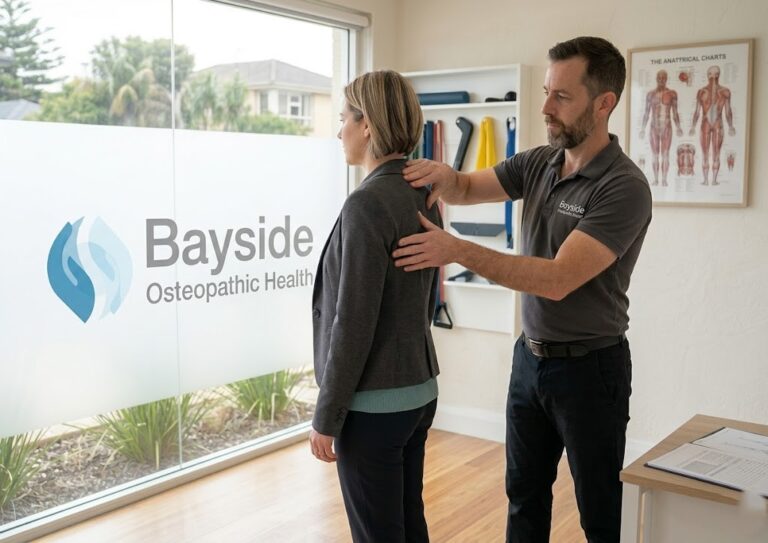
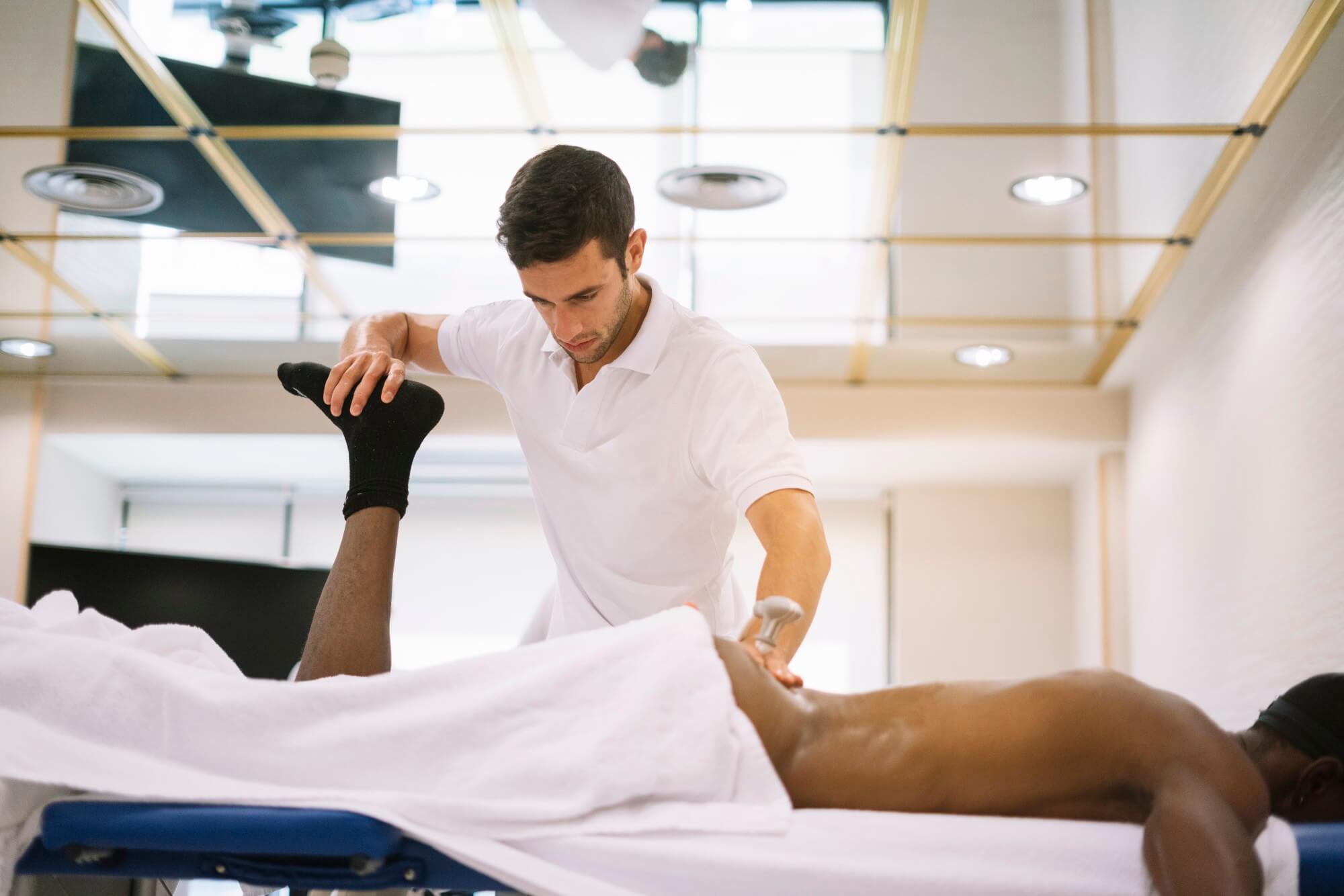
If you want help translating these ideas to a real workstation, a hands-on posture treatment image illustrates the kind of practical assessment that can sit alongside movement advice.
Know when self-care has reached its limit
Seek prompt medical assessment for new bladder or bowel changes, numbness around the groin, progressive weakness or severe neurological symptoms. Night pain, unexplained weight loss, pain after significant trauma or symptoms that keep worsening also deserve clinical review.
Arrange professional input when pain persists beyond six weeks, particularly if it limits work, sleep or ordinary activity. The Australian clinical standard notes that around 75% of patients with a single episode improve within six weeks, which is one reason active management and self-care are emphasised in Australian care. Persistent symptoms don't automatically mean something serious, but they do justify a more individualised assessment.
Consistency over weeks matters more than a single cushion, brace or stretch. Lower back posture support works when it helps you build comfortable movement into the day, while a clinician can assess load, mobility and symptoms when self-management isn't enough.
Bayside Osteopathic Health offers gentle hands-on osteopathic care, personalised workstation assessment and practical movement advice for lower back strain and posture-related discomfort. If your symptoms persist or your desk setup keeps aggravating your back, visit Bayside Osteopathic Health to arrange an assessment and receive a plan suited to how you work and move.